POWERED BY DILLRICH.OFFICIAL
SHAPELINE
IN DEVELOPMENT

BOARD & FOIL.
ONE MODEL.

Draw it. Ride it.
The board doesn't stop at the rails.

See features
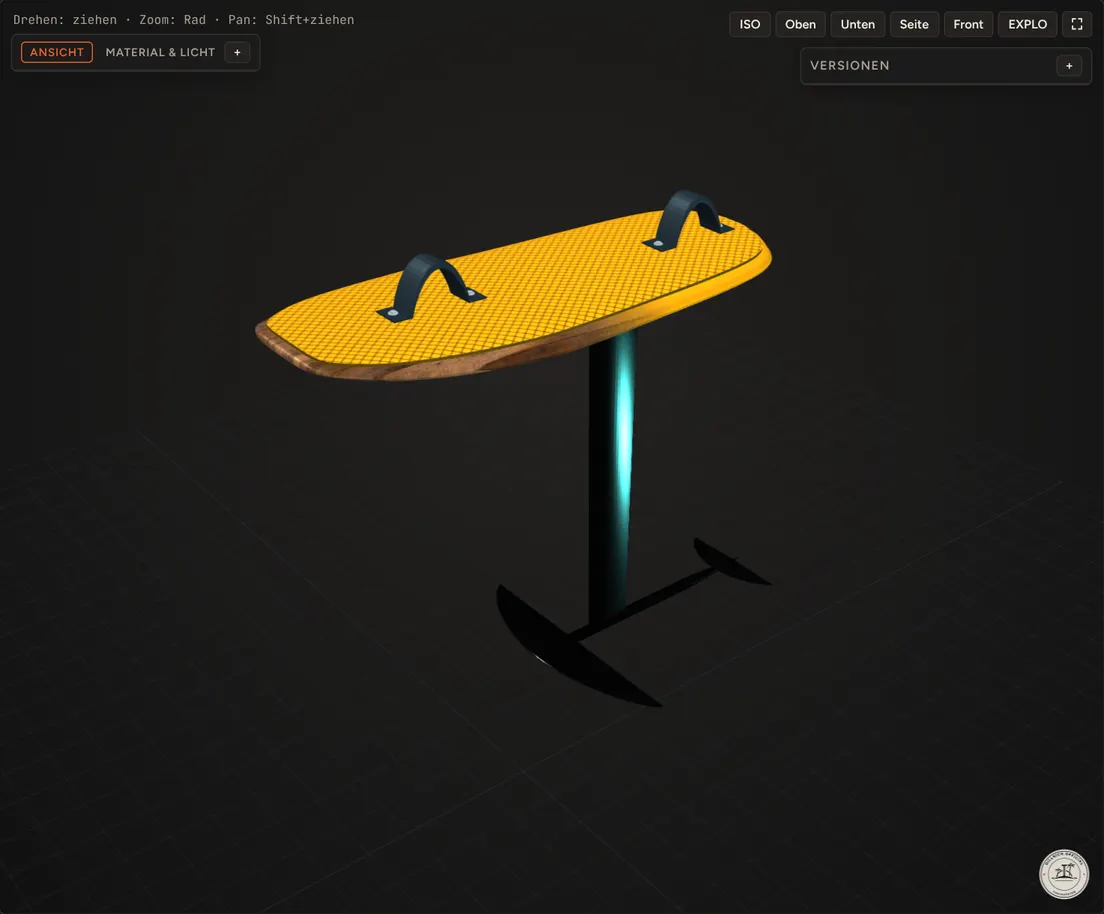
SHAPELINE · Entwurf · 105 × 42.5 cm · 16.2 L ↻ DRAG TO ROTATE
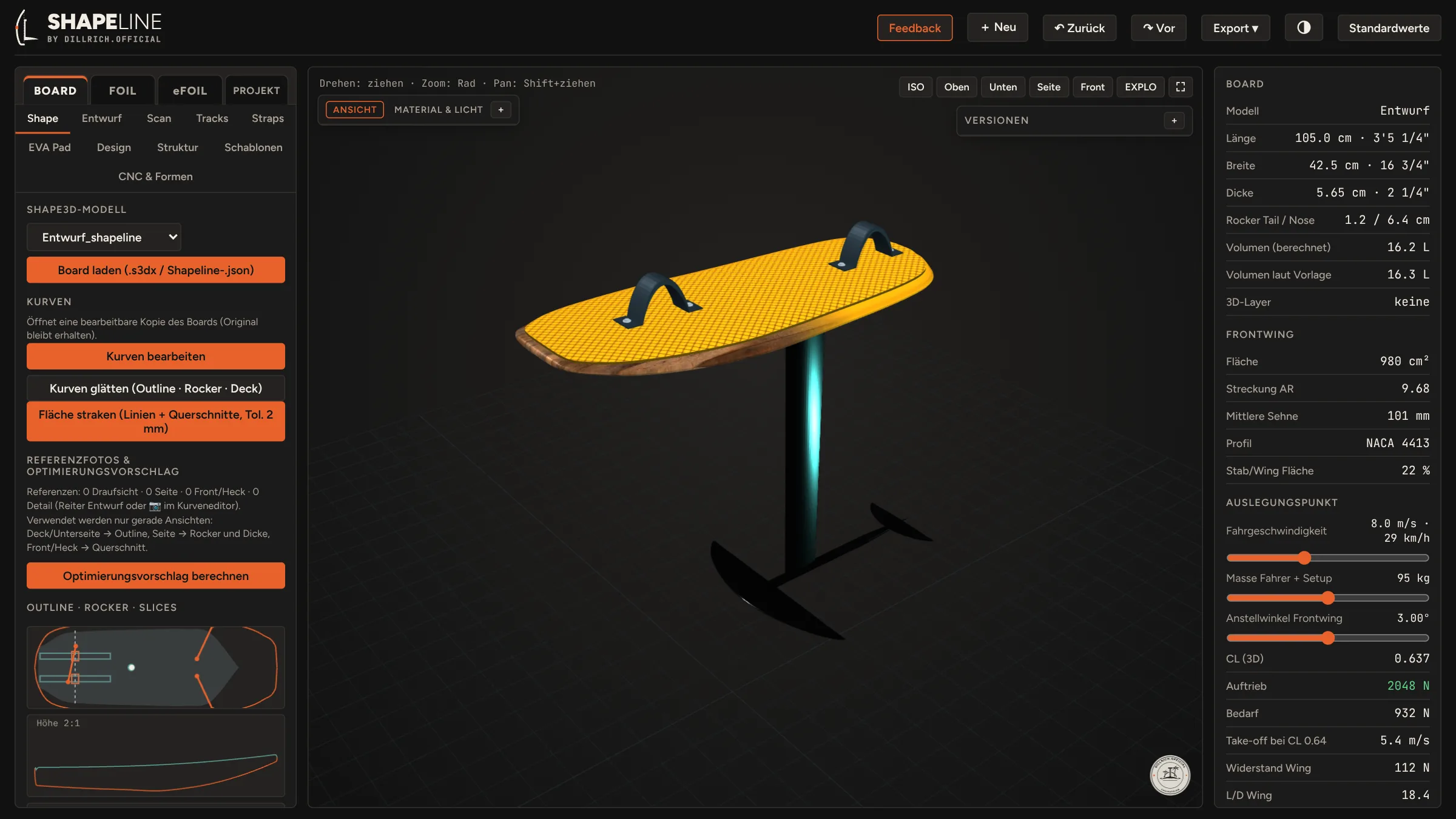
Shapeline software in dark mode: board panel on the left, 3D view with board and foil in the middle, board and foil data on the right
FEATURES

Shaped by riding, not by meetings.

DESIGN 01

OUTLINE, ROCKER, DECK

Curve editor with undo, version compare and fairing.

Bezier · Fairing · Versions

SCAN & IMPORT

Rebuild a board from 3D scans or photos, or open Shape3d and SHAPELINE files. Airfoils and polars load as .dat.

.s3dx · STL · OBJ · JPG / PNG · .dat

MAST MOUNTING

Tracks, track length and T-nut positions, placed against stance and pad.

Tracks · T-nuts · Stance
CHECK 02

HYDROSTATICS

Floating attitude, drag and take-off for your rider weight, before a blank is cut.

Volume · Trim · Take-off

MECHANICS

Board, mast and wing stiffness, checked against the loads you ride with.

Bending · Spar layup · Mast

BALANCE

Centre of gravity of rider, board and foil, checked against the mast position.

CoG · Stance · Mast position
BUILD 03

HOLLOW CORE

Stringer and rib layout for a hollowed core, ready to cut.

Stringers · Ribs · Agave

WORKSHOP TOOLS

CNC toolpaths, hot-wire files, cut templates and CFRP press moulds.

G-code · Hot wire · Moulds

EXPORT

The SHAPELINE project file with board and foil, NURBS for CAD, STL for print and CNC, GLB for web and AR. Render sets for social media and press.

SHAPELINE · STEP · IGES · STL · GLB · Image sets

NINE TOOLS. ZERO GUESSING.

WORKFLOW

Design it. Check it. Build it.

From sketch to shred.

  1. Step 1: the board outline as lines 01 OUTLINE From a blank, or from scan and photo.
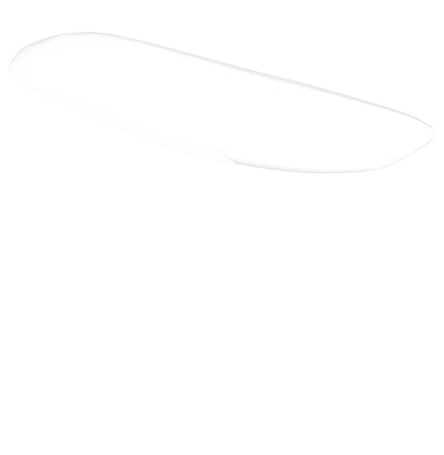
  2. Step 2: rocker and deck as a surface 02 ROCKER & DECK Side view and cross-sections.
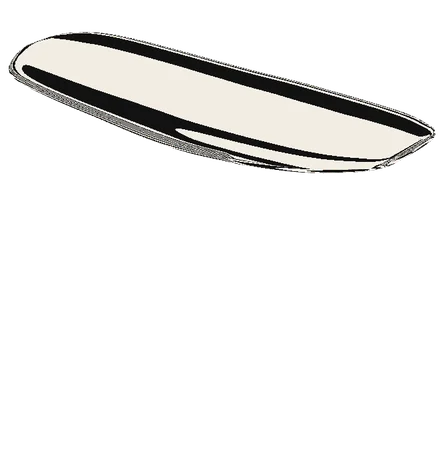
  3. Step 3: faired surface with zebra stripes 03 FAIRING Smooth surfaces, check the zebra.
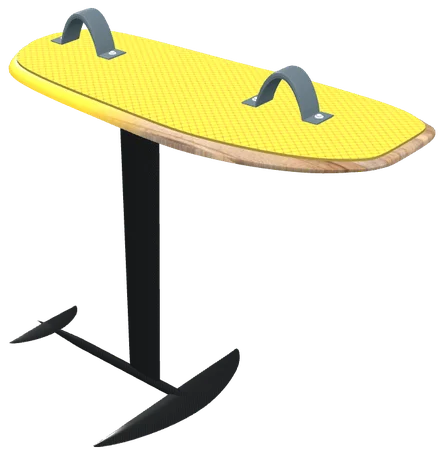
  4. Step 4: the yellow board set up on its foil 04 FOIL SETUP Tracks, Mast, Fuselage, Front Wing.
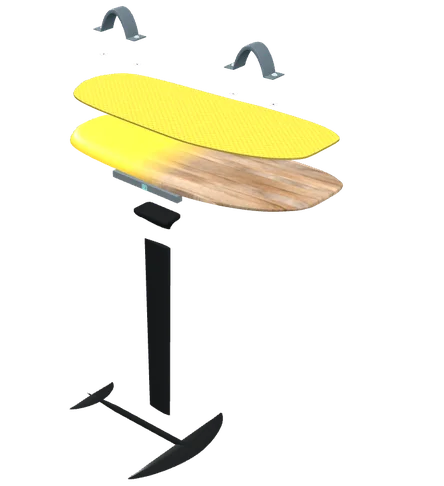
  5. Step 5: exploded view of every part to build 05 BUILD Templates, CNC file, CFRP press moulds, laminate.
PARTS & SHOPS PLANNED

Shape it. Ship it.

SHAPELINE turns your model into a parts list. Quantities come straight from the design, so you buy what the board needs.

Board build material

Glass and carbon cloth by the square metre, resin by the kilo, core blanks sized to your outline.

Cloth · Resin · Core · Peel ply

Hardware & accessories

Track boxes, T-nuts, inserts, deck pads, straps and vent plugs, matched to the positions in your design.

Tracks · Pads · Straps · Vents

Foils & foil assists

Mast, fuselage and wings, foil assist drives, motors, ESCs, cells and connectors, taken from the configurator's recommendation.

Foil · Drive · ESC · Battery
How it works

  1. Parts list from the modelAreas, volumes and positions are read from your board and foil setup.
FOR SHOPS Run a shop for board building, foil gear or eFoil parts? Become a partner shop
PARTS LIST · ENTWURF 105 × 42.5 CM PREVIEW
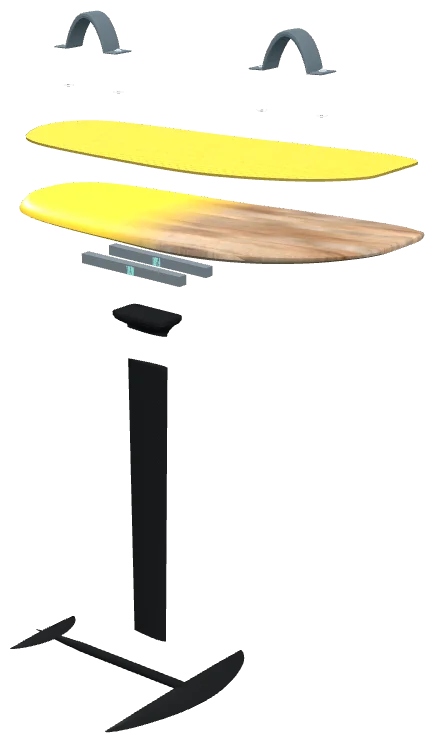
Exploded view of the board: straps, inserts, deck pad, board, tracks, mast foot, mast, fuselage and wings
PARTS & HARDWARE
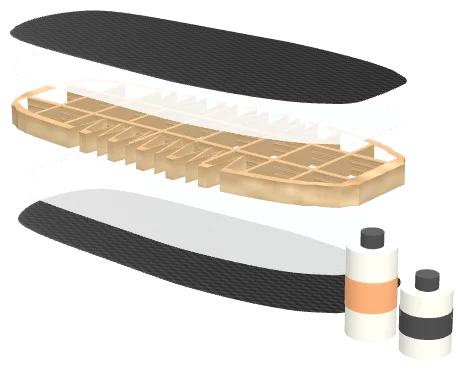
Laminate layup: carbon and glass cloth above and below a hollow wooden core with stringers and ribs, with epoxy resin and hardener
CARBON · GLASS · HOLLOW WOOD CORE · EPOXY
MATERIALQTY
Glass clothm² · g/m²
Carbon clothm² · g/m²
Epoxy + hardenerkg
Core blankL × W × H · kg/m³
HARDWARE
Track boxpcs · length
Strap insertspcs
Deck padsize
OUTLOOK · AFTER THE BETA

SHAPELINE Build. From pixels to resin.

The next module takes the design into the workshop: the whole ecosystem around board building.

MODULE 01

Board build planner

  • CORE AND CUTTING PLAN Blank, stringers and ribs as CNC or hot-wire files, straight from the hollow-core layout.
  • LAMINATION SCHEDULE Layers, fibre weights, cut patterns and resin quantity for each zone.
  • INSERTS AND TRACKS Track boxes, straps and pad positions taken from the design, with drilling templates.
  • PROCESS PLAN Every step in order with its processing parameters: mixing ratios, temperatures, pressure and cure times. The material list goes straight to the shop basket.
MODULE 02 · ELECTRIFIED

eFoil & foil assist configurator

Enter your weight and target ride time. You get a matched setup of foil, motor, prop, ESC and battery, and a guide through every part down to the connector.

  1. 01 MOTOR: DATA AND SELECTION Motor database with KV, power, size and weight. Filtered by your board and target speed.
  2. 02 PROP CONFIGURATOR Diameter, pitch, blade count, fixed or folding prop for foil assist, matched to motor KV and pack voltage.
  3. 03 ESC: CHOICE, SIZE, POSITION, COOLING Current and voltage headroom, housing size, placement in the tub, and water or contact cooling.
  4. 04 BATTERY AND BMS Cells, series and parallel count, energy and weight. BMS presets for NMC and LiFePO4.
  5. 05 BATTERY COMPARTMENT Tub size and position cut from the board design, with lid, seal and room for pack and ESC.
  6. 06 CONNECTOR RECOMMENDATION Phase and data connectors by current, plus the underwater connector from tub to mast and motor.
RECOMMENDATION PREVIEW
INPUT
Rider weight[kg]
Target ride time[min]
Riding style[cruise / sport / wave]
OUTPUT
Front wingarea · span
Motorclass · KV · W
PropØ · pitch · blades
ESCA · S · cooling
BatteryS×P · Wh · kg
Ride timefull · cruise
COMMUNITY

Pick your line.

BETA RESERVATION

Reserve your beta spot.

The beta is limited. Reserve a spot now, confirm it by email and you get access when the beta opens. You build a board with SHAPELINE and tell us what is missing.

SPOTS RESERVED – / 100
  1. 01 · 2 MIN Reserve Tell us who you are and what you ride.
  2. 02 · BY EMAIL Confirm Click the link in our email. Unconfirmed reservations are deleted after 30 days.
  3. 03 · AT BETA START Get access Login to the SHAPELINE web app.

WHAT A BETA TESTER GETS

  • #Full feature set
  • #Direct line to the developer
  • #Your build on @dillrich.official

Already reserved? Ask about your reservation

SUPPORT Like where this is going? SHAPELINE is independent. A coffee helps the next feature ship.
Buy me a coffee